· The Tokatab Team · Tokatab News · 4 min to read
Finding MusicXML Compatible Sheet Music for Tokatab
Want to learn a specific piece on Tokatab and it's not in our catalog yet? No problem, just add the piece yourself in a few clicks!
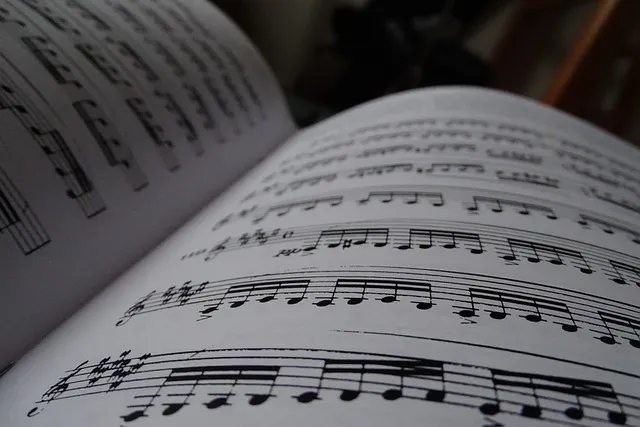
Tokatab offers a unique feature: you can now import your own sheet music directly into the app — to display it on screen, practice it step by step, and progress according to the piano skills it involves.
However, there’s one important thing to keep in mind: for Tokatab to analyze a score and generate a tailored learning path, two conditions are essential:
✅ The score must be in MusicXML format
✅ It must include all fingerings
In this article, we explain where to find compatible sheet music and how to easily add fingerings if needed.
🎵 What is the MusicXML format?
The MusicXML format is a standard for digital sheet music.
Unlike a PDF or an image, a .musicxml file contains structured information that software can read, interpret—and in Tokatab’s case, analyze intelligently.
🧠 In short: MusicXML is to sheet music what .docx is to text. It’s not a static image, but an interpretable and editable file, rich in information useful for learning.
🌍 Where can you find and download MusicXML sheet music?
Many websites offer sheet music downloadable in MusicXML format, mainly from the public domain (classical music, choral works, folk music, etc.).
But for pianists who want to import varied, recent, or piano-arranged pieces into Tokatab, MuseScore is by far the most practical platform:
✅ More than 1.5 million scores available
✅ Search by style (classical, jazz, pop, film music, songs…)
✅ Downloads in MusicXML and PDF
✅ Many free scores
⚠️ Please note: on MuseScore, there are two types of content:
- Community Scores → Scores shared by the MuseScore community. Often free and downloadable in MusicXML without a subscription.
- Official Scores → Copyrighted scores published by partner publishers (Hal Leonard, Alfred…). MusicXML export may be locked unless you have a MuseScore Pro subscription (≈ $49/year). Some scores remain non-exportable even with a subscription.
Other platforms (Musicalion, OpenScore, CPDL, Mutopia…) can be useful for public domain works, but are more limited for modern, learning-oriented use.
👉 In short: for efficient use with Tokatab, MuseScore is the best source.
✋ How to add missing fingerings to your score?
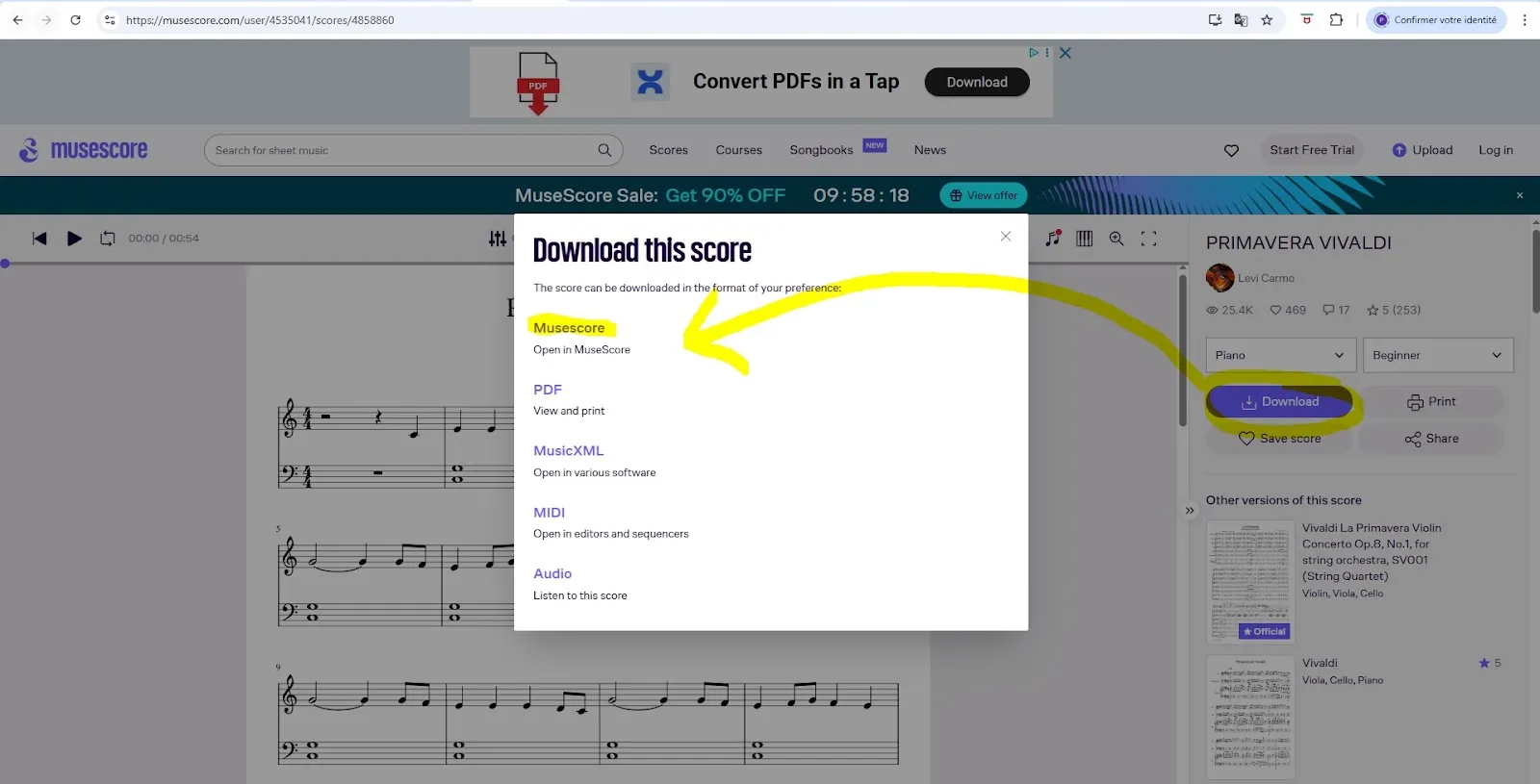
🧰 Step 1: Download your sheet music
Find your piece on musescore.com and download it in MuseScore format (.mscz).
Alternatively, a .musicxml / .xml file from another website will also work.
💻 Step 2: Install MuseScore Studio
Download the free software from musescore.org (Windows / Mac / Linux) and install it on your computer.
🎼 Step 3: Open your score
In MuseScore: File → Open → select your .mscz or .musicxml file.
✍️ Step 4: Add fingerings
You have two options:
- You know how to choose fingerings yourself (or with the help of a teacher) → enter them manually.
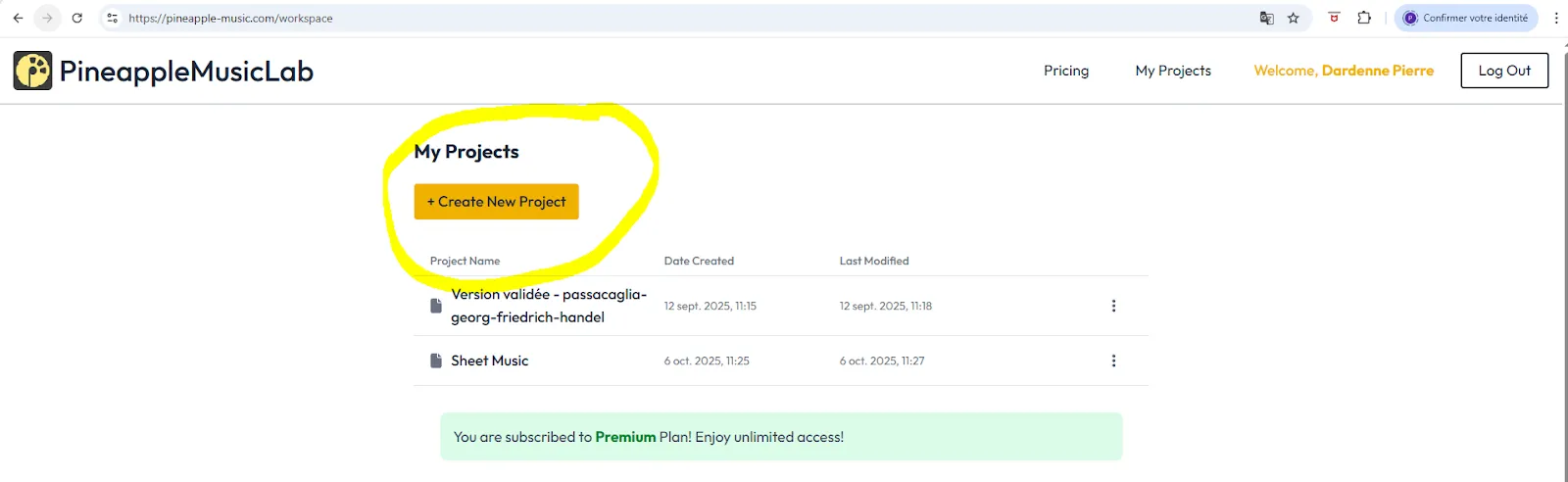
- You’d like guidance → use pineapple-music.com: create a project (“Create new project”) and import your score in PDF or MusicXML format.
Pineapple automatically analyzes your score and suggests appropriate fingerings.
(The free version allows a few trials; the full subscription costs about €5/month.)
🎹 Step 5: Enter the fingerings in MuseScore
In MuseScore Studio:
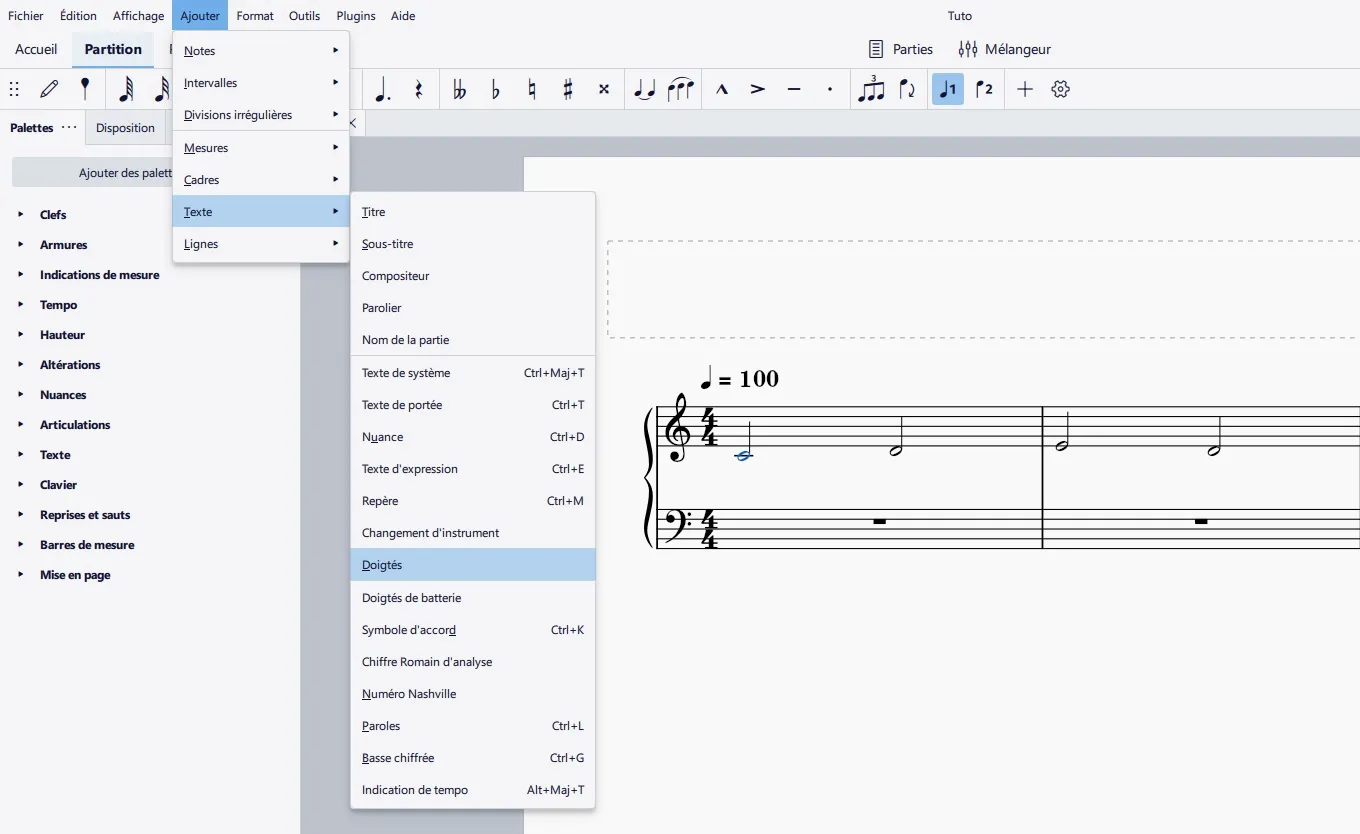
Select a note → Add → Text → Fingering (or use the “Fingering” palette).
💡 Piano fingering convention:
1 = thumb, 2 = index, 3 = middle, 4 = ring, 5 = little finger.
👉 For Tokatab, add a fingering to every note head, for both hands.
There’s no need to repeat the fingering if the same note occurs again.
💾 Step 6: Export the score as MusicXML
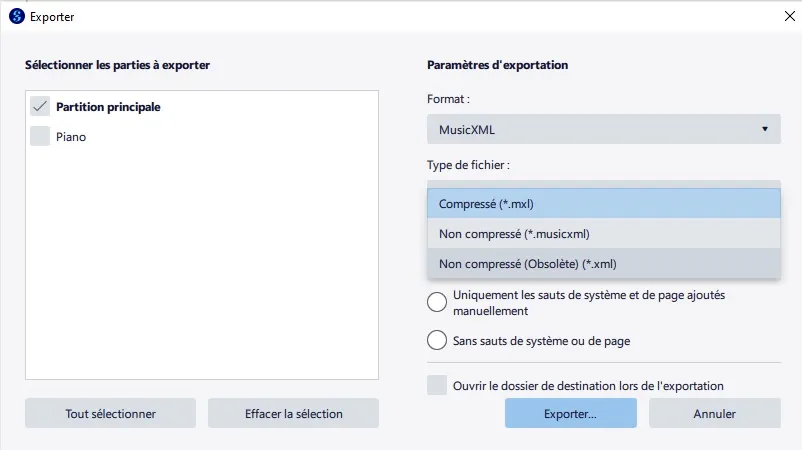
File → Export → MusicXML (.musicxml)
Prefer the uncompressed format (.musicxml rather than .mxl) for better compatibility with Tokatab.
🚀 Step 7: Import the score into Tokatab
In the Tokatab app, open the Import feature, select your .musicxml file, and let Tokatab analyze the score to generate a personalized learning path.
🤝 Need a hand?
If your score doesn’t import correctly or an error message appears, contact support directly from the app (“Contact support”).
You can also email us at contact@tokatab.com and attach your .musicxml file.
Our team will be happy to check your score and make it perfectly compatible with Tokatab 🎹
Long live the piano!
Musically yours,
🎶 The Tokatab team