· The Tokatab Team · Tokatab News · 4 min to read
Tokatab: Sheet Music Mode
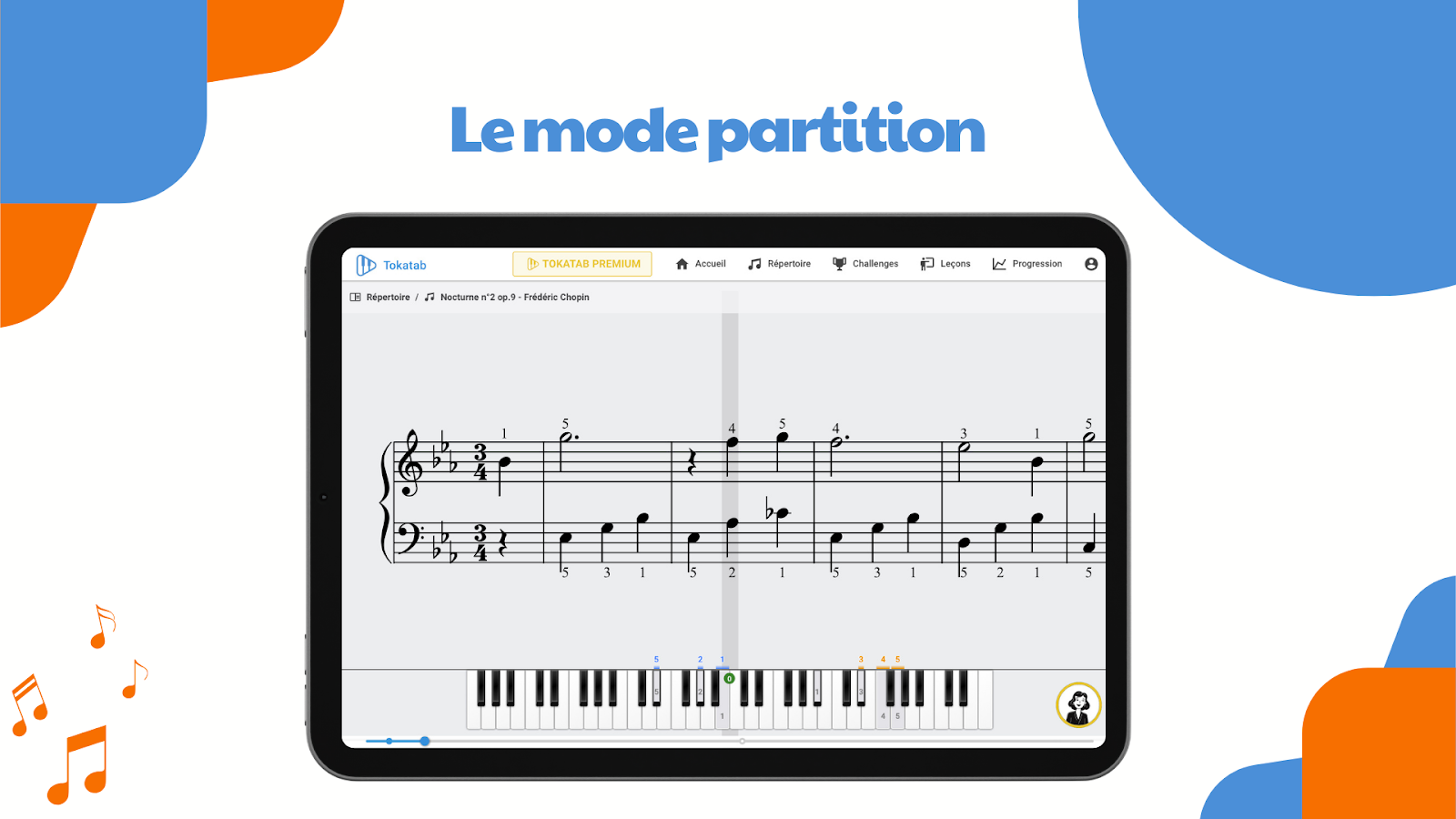
Master your favorite pieces with Tokatab's sheet music mode, specially designed for musicians comfortable with music theory. Enjoy technology that adapts to your learning.

At Tokatab, we never stop innovating to make your learning even more fun!
You know how to read music? You studied music theory in your youth and you finally want to put this knowledge to use? At Tokatab, we understand you 100%. That’s why we created sheet music mode, a feature designed for pianists who already have the basics, but are looking for a modern solution to learn and progress.
Sheet Music Mode: The Ally of Music Theory Readers
You already master the secret language of musicians (also called music theory for the initiated)? No need to start from scratch or follow beginner piano lessons with stickers on notes. With our sheet music mode, you have direct access to the pieces you love, with the score at hand. Basically, it’s a bit like having a piano teacher in your pocket, but without fixed schedules or hassle of traveling.
Sheet Music Mode is Also Interesting for Those Who Want to Learn Piano While Reading the Score.
Thanks to its two display modes, with or without music theory, even if you’re a beginner, you can learn piano while familiarizing yourself with notes on the staff. How? Here are some explanations:
First, exercises intended for piano beginners include few notes, often easy to read and adapted to music reading novices (like C-D-E-F-G in treble clef). Here’s an example of an exercise to practice piano as a beginner with Tokatab:

By displaying an exercise with the mode without music theory, you’ll see note names. This will allow you to work on exercises with a non-music theory representation, while displaying note names. After mastering the exercise or piece, you can choose to display it on the score to see how these notes are written.
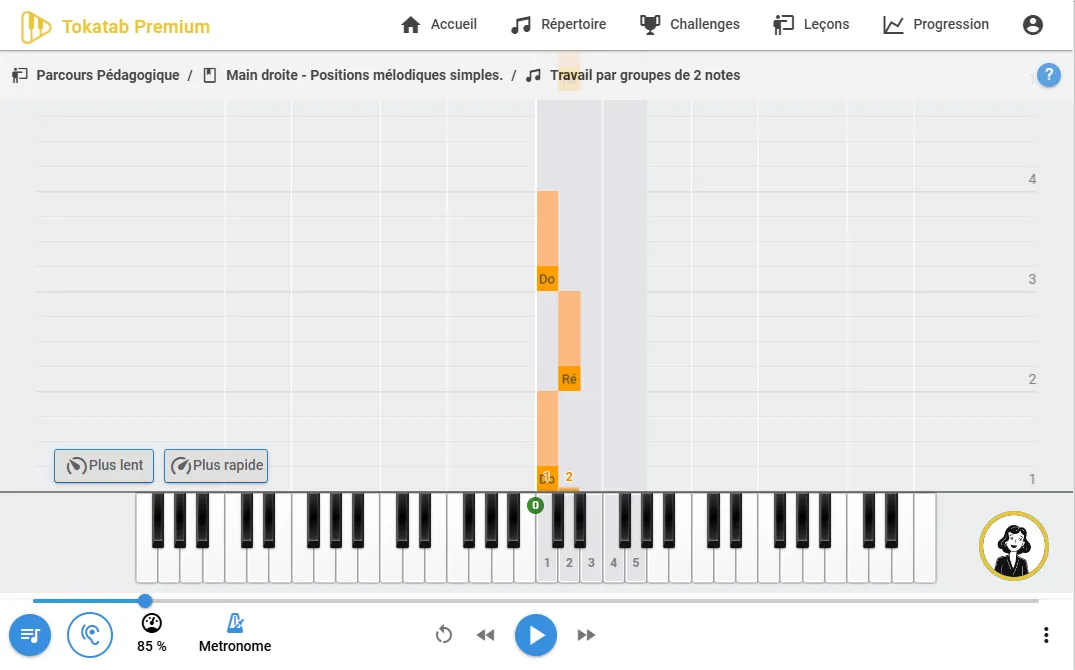
On Tokatab, you can choose to display note names and fingerings, which is very practical for simultaneously learning to play piano with the right fingers and recognize keys on your keyboard.
Sheet Music Mode is Available on Phone/Tablet/Computer.
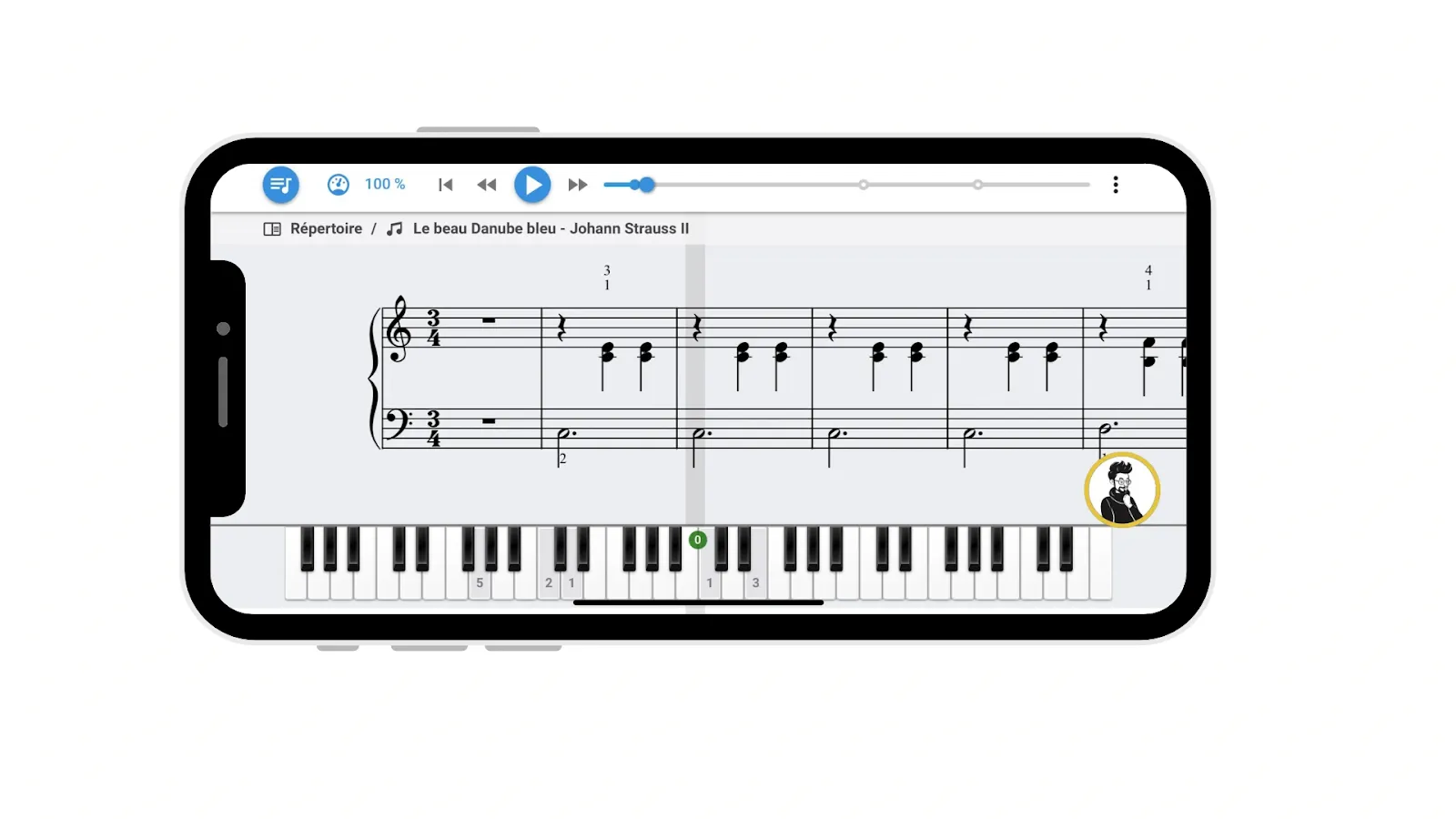
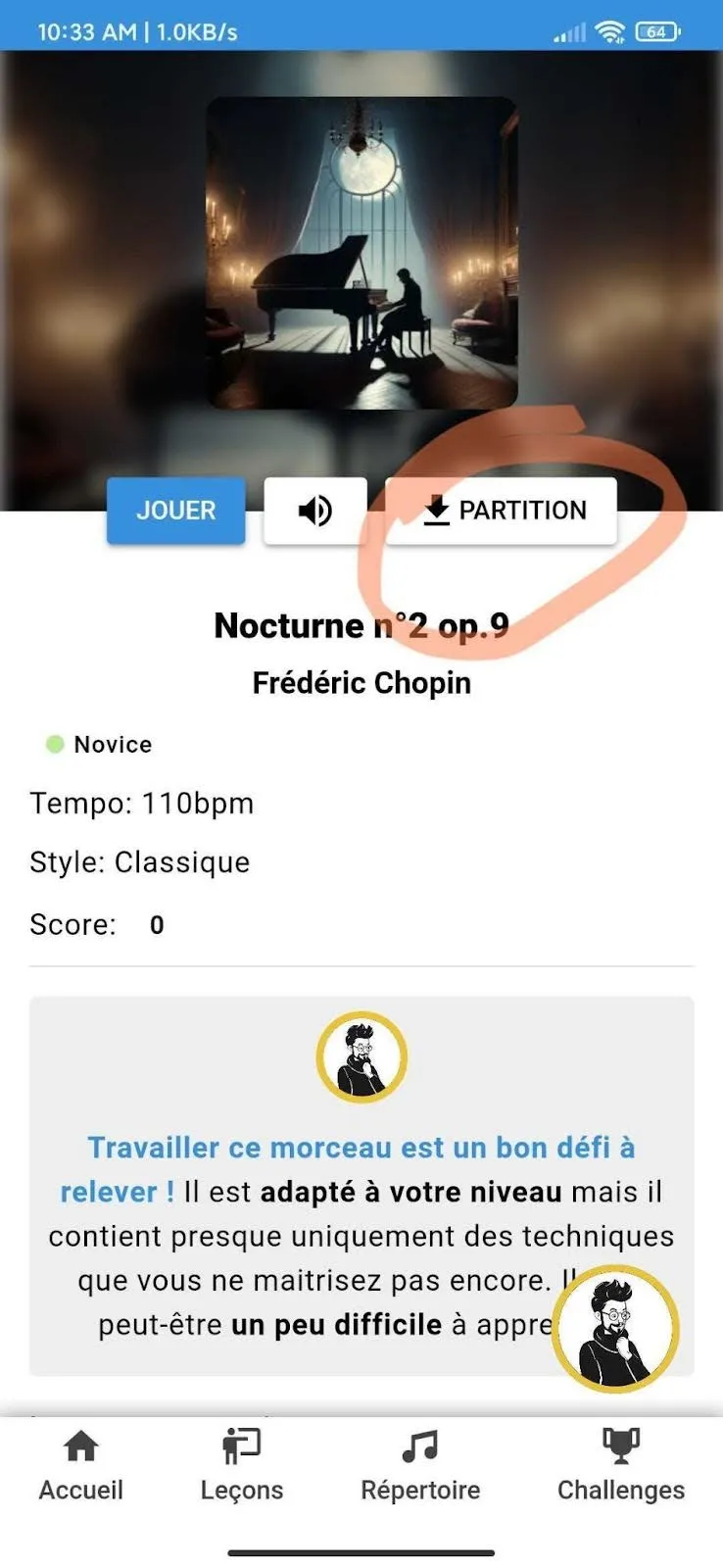
With a tablet, phone or computer, no more chaos of flying scores or pages getting tangled! You have all your scores well organized in the same place, ready to use. No more need to juggle ten paper pages that fly away at the slightest breeze – your tablet, phone and even computer stay well-behaved. And cherry on top, you don’t spend 5 minutes putting your pages back in the right order before starting to play (However, if you also want to have the complete score on paper or if you want to take it for a weekend or during vacation, it’s possible to download scores directly from the application thanks to a dedicated button!)
Why Choose Sheet Music Mode on Tokatab?
Because you are you. You’ve acquired solid basics in music theory and you deserve to play pieces you like, at your own pace. Fan of Chopin, Mozart or jazz or Latin music, sheet music mode allows you to read and learn your favorite pieces without pulling your hair out looking at keys falling on a piano when you’re not used to it.
With Tokatab, no more need to break the piggy bank for private lessons or adapt to overbooked teachers’ schedules.
Technology Designed for Your Progression
Where Tokatab goes even further is that our intelligent technology analyzes your level by analyzing your journey, your errors and your strengths to offer you the pieces most adapted to your skills and the right pieces to progress or review. Having trouble with a gesture? No worries, the virtual coach is there to help you work on it. And yes, it’s always important to be accompanied when learning new things.
Ready to test this new mode?
Log in to Tokatab now to try it!