· The Tokatab Team · Piano Glossary · 3 min to read
The MIDI Protocol
The MIDI standard (acronym for Musical Instrument Digital Interface) was designed in 1983, and allows capturing, encoding, and transmitting various musical information.

History and Definition of the MIDI Protocol
The MIDI standard (acronym for Musical Instrument Digital Interface) was designed in 1983, notably at the initiative of Ikutaro Kakehashi (founder of the Japanese brand Roland) in association with other synthesizer manufacturers.
When playing on a compatible controller (synthesizer, keyboard, drum machine…), the MIDI protocol allows capturing and encoding various music information such as note pitch, note duration, and the intensity with which it was played. The MIDI standard specifies both the interface, the format in which data is transmitted, and the necessary connections to communicate between different instruments.
Connecting MIDI Devices
MIDI facilitates real-time communication between many devices and is therefore the basis of almost all computer-assisted music! Possible configurations are multiple, but the most common is to use a sequencer as the main element that records MIDI data; this can be a virtual sequencer (a program running on the computer) or dedicated hardware.
Most MIDI devices connect to each other with a 5-pin DIN cable, often called MIDI cables by extension. However, some devices (notably computers) generally use a USB connection instead. Depending on the case and the equipment you want to connect, you’ll therefore need a USB to USB cable, USB to MIDI, or MIDI to MIDI.
Most MIDI devices have 3 ports:
MIDI OUT MIDI OUT transmits MIDI data from a device like a sequencer or synthesizer to another source.
MIDI IN This port receives MIDI data from another source.
MIDI THRU MIDI THRU duplicates data from the MIDI IN port. This allows connecting multiple devices, like a kind of power strip.
MIDI Files
Originally designed to transmit musical data “live,” the MIDI protocol also offers a file format (with the .mid extension) allowing you to record, replay, and share pieces. This format has become very popular: many musicians save and share their works using this format, some teachers share MIDI files with their students in addition to or instead of scores… You’ll find on the internet many MIDI files of classical pieces or recent songs; not all are legal, be careful to favor copyright-free files or under Creative Commons license.
Note that MIDI files, unlike the MusicXML format (more complete), don’t allow reproducing all the details you would find on a paper score.
MIDI Usage on Tokatab
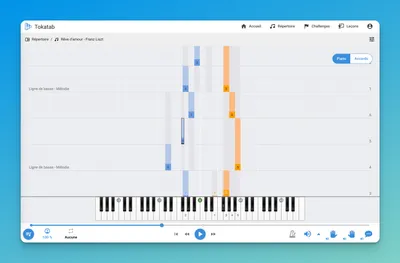
If you have a master keyboard, synthesizer, or MIDI-compatible piano, and you connect it to your computer or Android smartphone (generally via a USB-MIDI cable), Tokatab will recognize it and offer you a real-time evaluation of your performance (detection of wrong notes, notes played late or too early…). This greatly improves learning and experience quality, so we strongly encourage you to get the right cable (a few euros at any good music store!)